%20(4)-1.png?width=1950&height=299&name=Cybaverse%202024%20White%20new%20(2)%20(4)-1.png)
Explore the Marketplace
- Head to the Marketplace tab within your Admin Panel
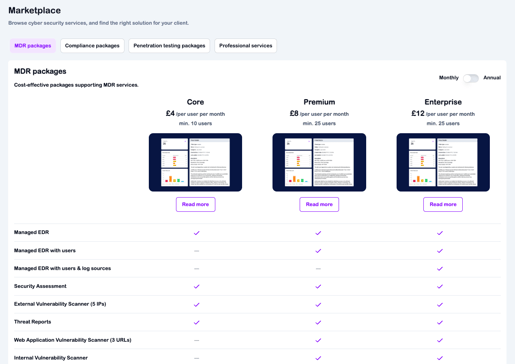
- Browse through the available packages and learn more about the services we offer
- You can choose to pay monthly or annually (upfront)
- Use the toggle switch to view and compare pricing for each option
- Once you’ve found a package that best suits your client’s needs, you’re almost there!
- Our packages are split into 4 categories, use the navigation bar to see different package types.
- To begin the setup process, simply get in touch with your account manager
- They’ll handle the rest and guide you through the next steps